

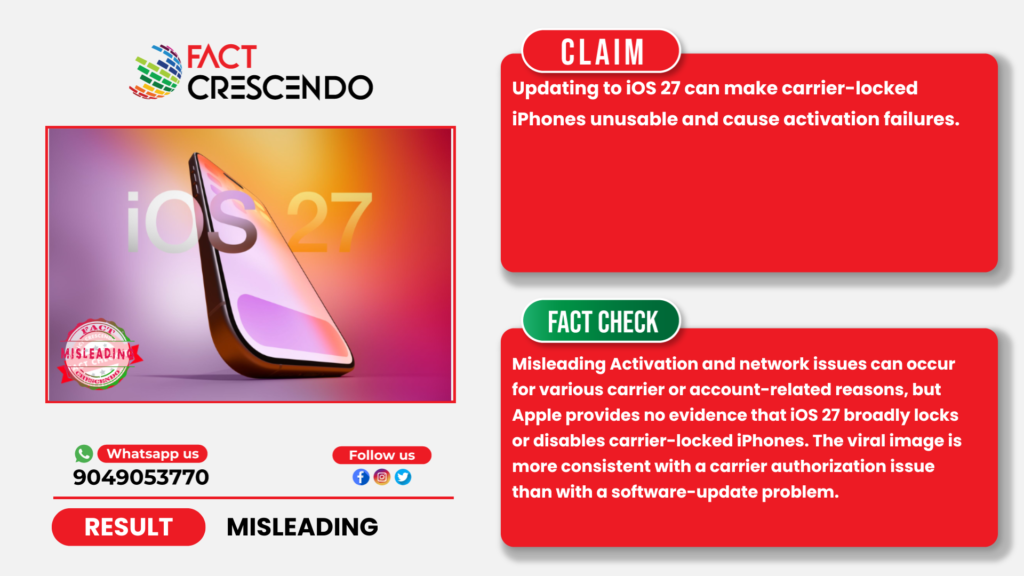
A claim circulating on social media warns users not to update carrier-locked, financed, or so-called “JV” iPhones to iOS 27, alleging that the update could prevent activation, disable cellular service, or permanently block affected devices. The claim has been shared alongside images showing iPhones displaying activation-related error messages, leading some users to believe that Apple’s latest software update is causing widespread device lockouts. However, our investigation found that the claim is misleading.
It is worth noting that iOS 27 is currently available only as a developer beta; Apple’s public beta is expected in July 2026, with the full public release alongside the iPhone 18 in September 2026. The vast majority of carrier-locked iPhones in everyday use are not yet running iOS 27 at all, which is an important piece of context the original claim omits.
Social Media Posts
Posts circulating on Facebook, TikTok, and X warn users against installing iOS 27 on carrier-locked devices. The posts claim that updating may trigger a new “finance lock” or carrier restriction that prevents activation.
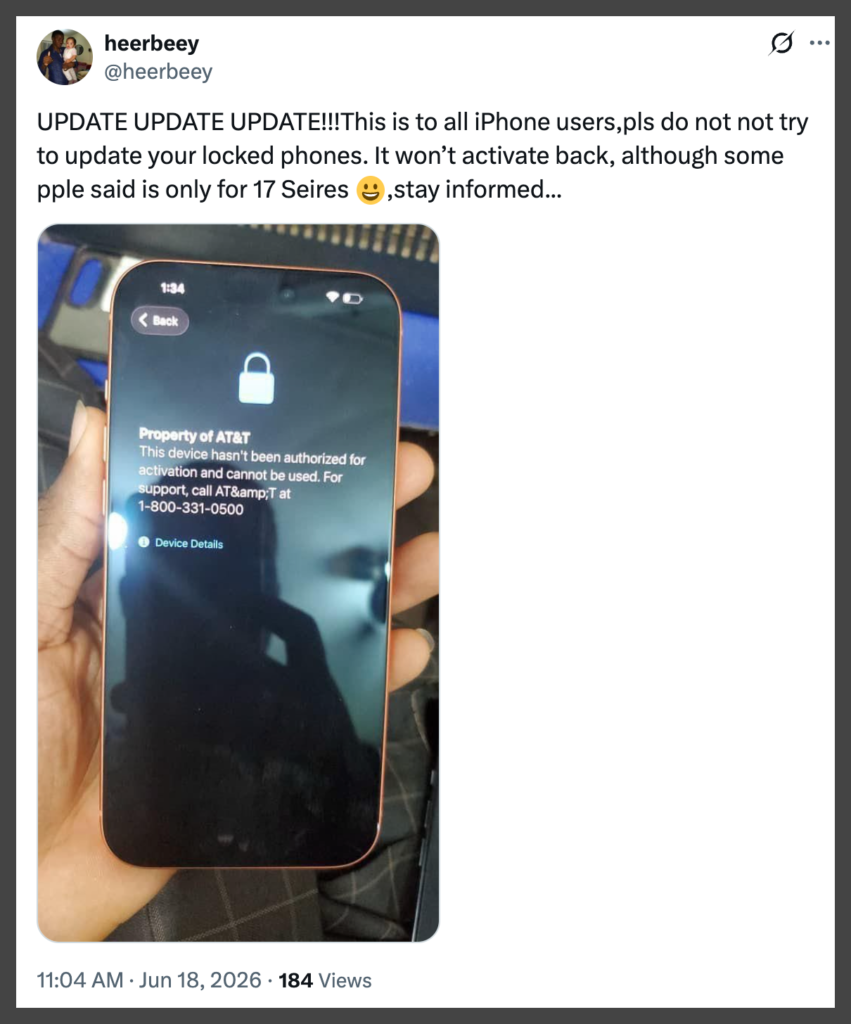
Many of the posts are accompanied by a photograph showing an iPhone displaying the message: “Property of AT&T. This device hasn’t been authorized for activation and cannot be used.”
Fact Check
Apple Does Not Say iOS Updates Lock Carrier-Locked Phones
Apple’s official support documentation states that carrier lock status is controlled by the mobile carrier, not by iOS updates. Apple explains that users can verify a device’s lock status by navigating to “Settings > General > About > Carrier Lock”.
If the device displays “No SIM restrictions,” the iPhone is unlocked. If another status appears, the device remains tied to a carrier. Apple notes that only the carrier can remove a carrier lock — there is no indication that installing a software update can newly lock an already unlocked device.
The “Finance Lock” reference did not originate purely from speculation. iOS researcher Aaron Perris reportedly discovered a code string referencing “Finance Lock” inside the iOS 27 beta, suggesting Apple may be developing a way to flag financed devices still under contract. However, Apple has not officially announced, documented, or activated this feature for any consumer, and the discovery comes from a beta build, where many features change or are dropped entirely before public release. In short: the code string is real; a live, functioning ‘Finance Lock’ restricting users today is not confirmed.
Activation Problems Have Multiple Causes
Apple’s activation troubleshooting guidance shows that activation failures can occur for several reasons unrelated to iOS updates.
According to Apple, users experiencing activation issues should first verify that Apple’s activation servers are functioning properly, ensure the device has a stable internet connection, check that the SIM card or eSIM is valid, and confirm that carrier settings are properly configured. Apple also recommends connecting the device to a computer if activation cannot be completed over the air.
Apple separately explains that Activation Lock is an anti-theft security feature linked to the owner’s Apple Account and Find My service. If Activation Lock is enabled, only the account holder can remove it, or Apple may assist when valid proof of purchase is provided.
The Photo Appears to Show a Carrier Authorization Issue
The image accompanying the claim displays the message: “Property of AT&T. This device hasn’t been authorized for activation and cannot be used.”
This message points toward a carrier authorization or account-status issue rather than evidence that a software update caused the device to fail.
AT&T explains that device functionality on its network depends on proper activation, account eligibility, and carrier authorization. The message shown on the screen indicates that the device has not been authorized for activation on the carrier’s network. Such warnings are generally associated with carrier authorization, account status, or activation eligibility rather than software updates. Official carrier guidance does not suggest avoiding software updates as a solution.
A Separate, Real iOS 27 Bug Exists — But It Isn’t This One
It is worth flagging that a genuine, documented iOS 27 bug does exist — but it is unrelated to carrier locks. Multiple iPhone 15 Pro owners have reported their devices becoming completely unresponsive after installing the iOS 27 developer beta, with the issue reportedly triggered by a force restart . This affects the iPhone 15 Pro specifically on the developer beta, not carrier-locked devices broadly, and is unrelated to carrier authorization or financing status. Conflating this real bug with the viral carrier-lock claim would itself be inaccurate, they are two distinct issues. (Source)
Carrier Lock and Activation Lock Are Different Things
The viral posts often confuse two separate Apple systems:
Carrier Lock restricts which mobile network can be used with the device. Carrier unlocking is managed exclusively by the carrier. Apple states that users can verify this status in the Carrier Lock section of the About page.
Activation Lock, on the other hand, is tied to an Apple Account through Find My. If a device requests another person’s Apple ID credentials during setup, the issue involves ownership verification rather than carrier compatibility. Apple notes that Activation Lock can only be removed by the account owner or through Apple’s support process when proof of ownership is available.
Because these systems serve different purposes, an activation error should not automatically be interpreted as evidence that an iOS update locked the phone.
How Users Can Check Whether Their iPhone Is Carrier Locked
Apple recommends checking lock status directly on the device.
Open “Settings > General > About” and scroll to Carrier Lock. If the entry reads “No SIM restrictions,” the iPhone is unlocked. If a carrier name or lock status appears, the device remains tied to a specific network.
Users can also test the device using a SIM card from another carrier. Apple notes that if an iPhone is carrier locked, it may display a message stating that the SIM card is not supported and that only compatible SIM cards from the original carrier can be used to activate the device. Apple advises users who encounter this message to contact their carrier regarding unlock eligibility and activation requirements.
No Evidence of a Widespread iOS 27 Activation Issue
Our review found no Apple advisory, carrier bulletin, or credible reporting indicating that iOS 27 is causing widespread activation failures specifically affecting carrier-locked iPhones. While isolated activation problems can occur after software updates, Apple’s support documentation attributes such issues to activation servers, network connectivity, SIM compatibility, or account-related restrictions rather than a blanket software restriction on locked devices.
This is consistent with how other outlets have covered the Finance Lock code discovery, even reporting that surfaced the code string explicitly cautioned that “a large percentage of JV and SIM locked iPhones… has not always prevented the phones from being used overseas” historically, and that no carrier or Apple guidance currently links the feature to the iOS 27 public release.
Conclusion
The claim is misleading because it conflates carrier authorization issues with iOS 27 updates. Apple documentation indicates activation failures stem from several factors, including SIM incompatibility, server issues, or carrier restrictions. There is no evidence iOS 27 broadly disables locked devices.
While a “Finance Lock” code string was found in the iOS 27 beta by a researcher, its implementation in the September 2026 release remains unconfirmed by Apple. This remains a possibility to monitor rather than a current fact. Separately, a documented iPhone 15 Pro bug in the developer beta is unrelated to carrier locks.
The viral photo likely shows an AT&T authorization error, not a software-induced lockout. Users facing activation problems should follow Apple’s troubleshooting and contact their carriers.

Title: No Evidence That Updating to iOS 27 Will Make Carrier-Locked iPhones Unusable
Fact Check By: Cielito Wang
Result: Misleading
