

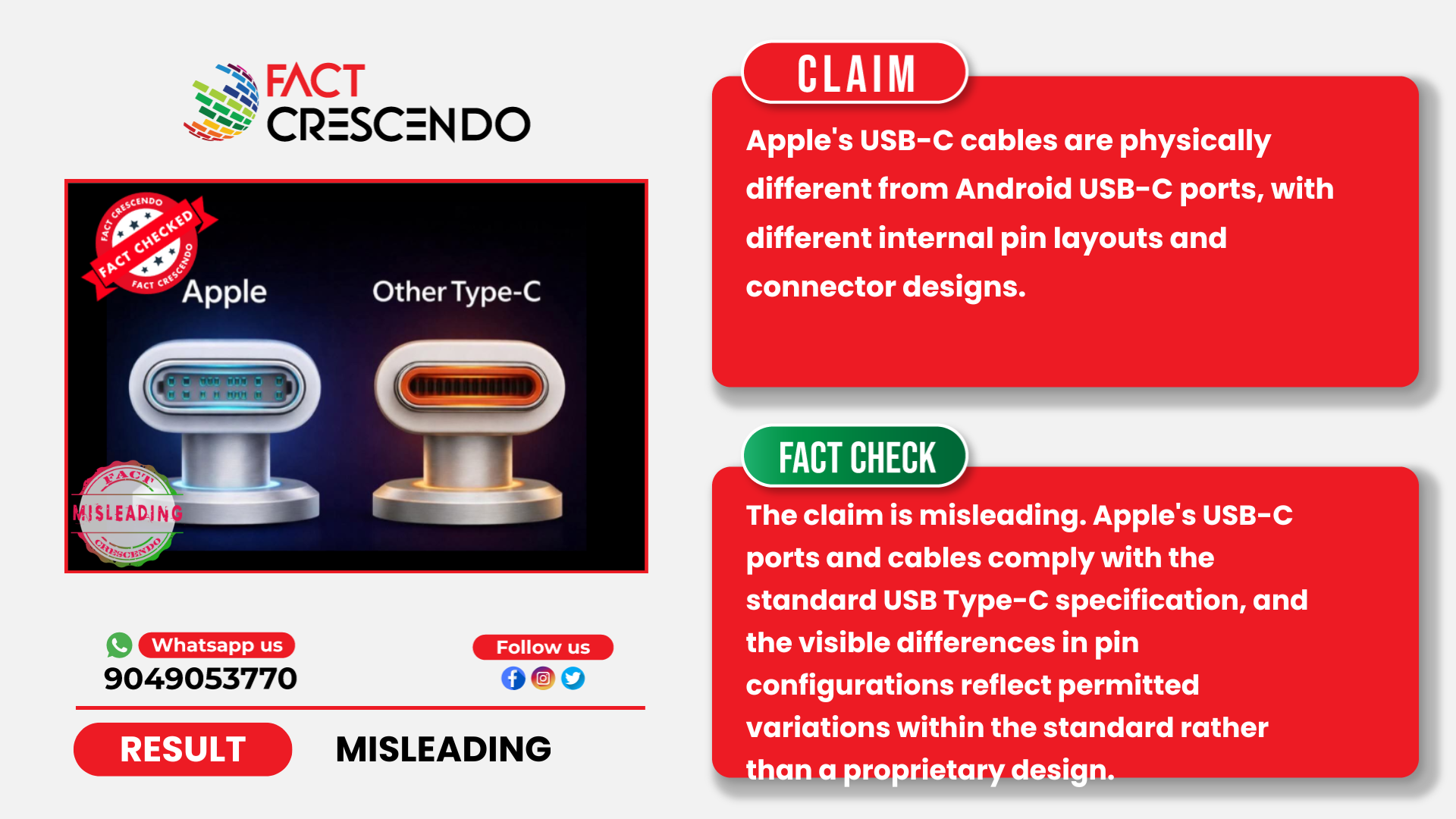
A claim circulating widely on social media platforms states that Apple’s USB-C (Type-C) connectors or cables are physically different from “normal” or Android USB-C cables. These posts often suggest that Apple uses a proprietary or incompatible USB-C design. However, our review shows that this claim is misleading.
Social Media Claims
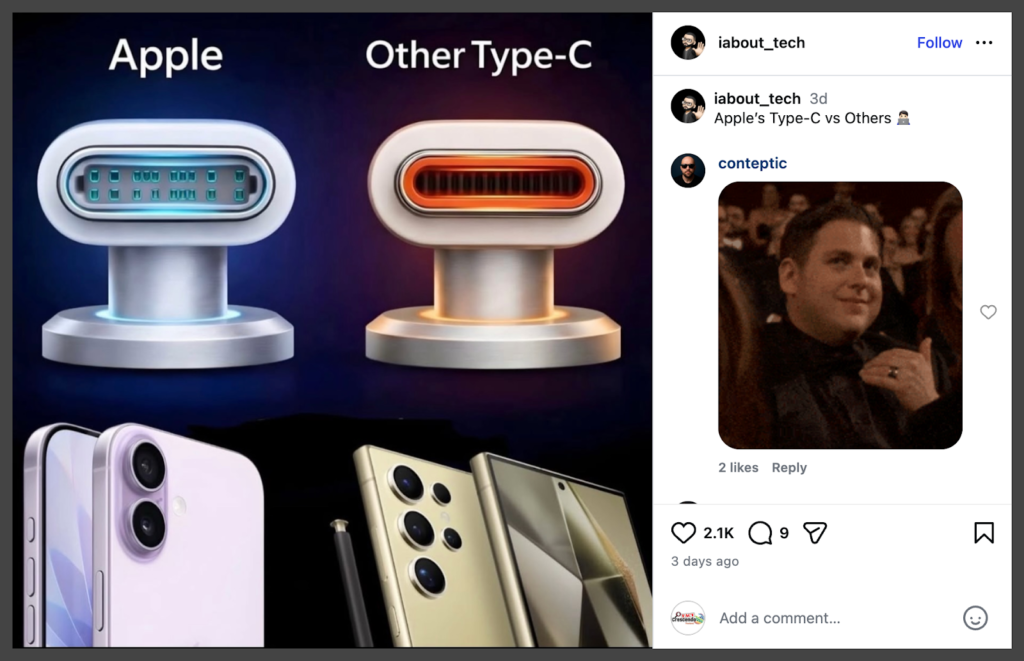
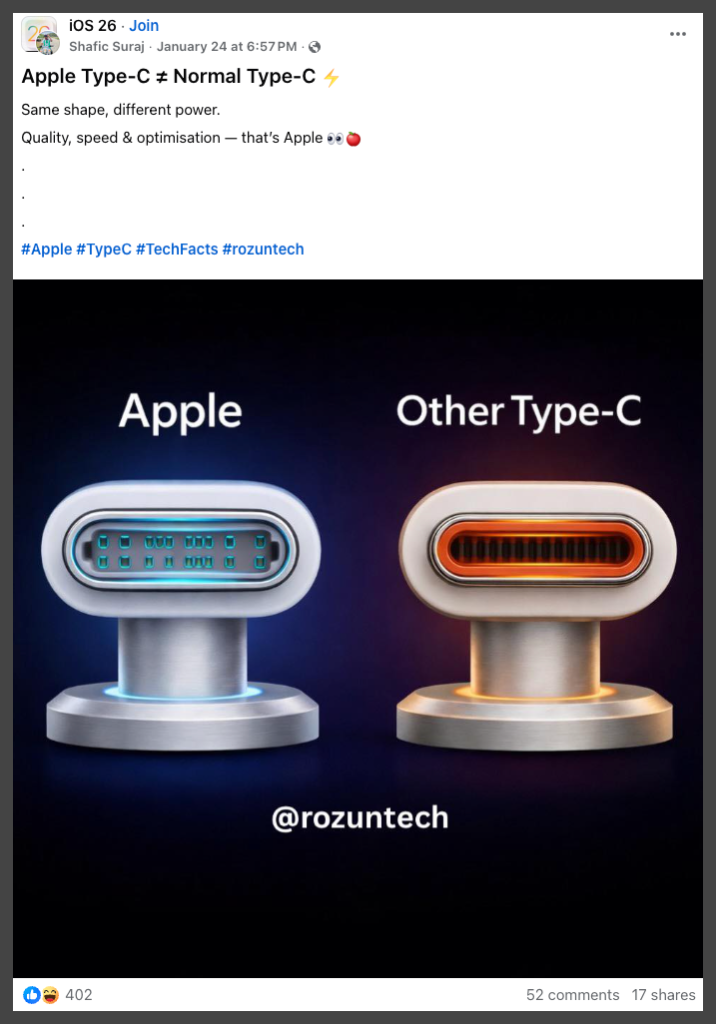
The claim typically appears in the form of comparison graphics with captions stating that “Apple Type-C is not the same as Android Type-C,” often accompanied by diagrams suggesting different internal pin layouts.
Fact Check
What USB-C Actually Is: The Role of Global Standards
USB-C is an internationally standardized connector, not a brand-specific technology. The USB-C cable and connector specification is defined and maintained by the USB Implementers Forum (USB-IF), an industry consortium that includes major technology companies such as Apple, Intel, Microsoft, HP, and others. The official USB Type-C Cable and Connector Specification defines the connector’s physical shape, electrical behavior, and a standardized 24-pin layout that all compliant USB-C ports and connectors must follow.
Because USB-C is standardized, device manufacturers cannot redesign the physical connector or change the pin layout of the port itself while still labeling it as USB-C. Any device marketed as using a USB-C port must comply with these core requirements.
Physical Design and Pinout: Ports vs. Cables
USB-C connectors used in Apple and Android ecosystems follow the same USB Type-C specification. While device receptacles and cable plugs may have different compliant configurations depending on supported features, these variations are defined within the standard and do not indicate proprietary design.
While USB-C device receptacles follow standardized pin definitions, the specification allows different compliant configurations depending on supported features.
This is where many viral images become misleading. Some USB-C cables, particularly low-cost or basic charging cables, only support USB 2.0 speeds. These USB 2.0-only cables typically include pins for power (VBUS), ground (GND), a single D+/D- data pair, and a configuration channel (CC) pin, while omitting the high-speed SuperSpeed TX/RX pairs required for USB 3.x or USB4. As a result, fewer metal contacts may be visible inside the connector, even though the cable still uses the standard USB-C shell and complies with the USB-C specification.
(Sources: All About Circuits, AppleInsider, Ultra Librarian)
What Actually Differs: Supported Features and Cable Capabilities
Even when using the same USB-C connector or cable, users may observe different performance depending on device capabilities and supported protocols, which can be mistaken for hardware differences.
For example, Apple’s specifications indicate that the base iPhone 15 and iPhone 15 Plus support USB 2 data speeds (up to 480 Mbps), while the iPhone 15 Pro and Pro Max support USB 3 speeds up to 10 Gbps. This distinction is documented in Apple’s specifications and discussed in reporting by AppleInsider. Android phones similarly vary in their specifications, with some models supporting USB 2 speeds and others supporting USB 3.2 or USB4.
Charging behavior also varies across devices. iPhones use USB Power Delivery (USB-PD) for fast charging, reaching approximately 27 watts on recent models, while Android devices may support USB-PD, Qualcomm Quick Charge, or manufacturer-specific charging protocols.
Are Non-Apple or “Android” USB-C Cables Safe for iPhones?
Non-Apple USB-C cables can be safely used with iPhones as long as they comply with USB-C standards. AppleInsider has reported that using USB-C cables commonly sold for Android devices does not damage the iPhone 15 series, because power negotiation and electrical behavior are governed by USB-IF standards.
Issues such as slow charging, overheating, or unstable connections are typically linked to poor-quality or improperly manufactured cables, regardless of whether they are marketed for Apple or Android devices. (Sources: iSpace, Yahoo Finance)
Apple MFi Certification and Common Misunderstandings
Another source of confusion is Apple’s MFi (Made for iPhone) certification program. MFi historically applied to Lightning accessories, which required a proprietary Apple-licensed chip. Standard USB-C charging cables do not require MFi certification. Apple’s own MFi FAQ confirms that USB-C accessories relying on standard USB Power Delivery do not need special Apple approval.
MFi may still apply to accessories using Apple-specific protocols, such as certain CarPlay implementations, but it does not alter the physical USB-C port or its pin layout.
Official Response from USB IF We also contacted the USB Implementers Forum about this topic. USB-IF noted that the image does not clearly correspond to a standard-compliant depiction of USB Type-C connectors based on the information provided, though this cannot be explicitly confirmed. USB-IF clarified that the USB Type-C standard defines multiple compliant connector configurations depending on product type and capability.
The USB-IF team provided detailed technical clarification on USB-C standards, offering the following key points:
Basic Cable Rules
- Non-captive cables (detachable from chargers) must support USB data transmission
- Captive cables (permanently attached to chargers) only need to carry electricity
- All USB connections negotiate down to the lowest common capability among connected devices
Connector Types and Their Uses
Receptacles (ports on devices):
- USB Full-Featured Type-C: Used for USB4 and USB 3.2 data products
- USB 2.0 Type-C: Used for USB 2.0 data products
- USB Type-C Power-Only: Used for USB chargers
Plugs (connectors on cables):
- USB Full-Featured Type-C: Used for USB4 and USB 3.2 products and cables
- USB 2.0 Type-C: Used for USB 2.0 products and cables
- USB Type-C Power-Only: Used for chargers, power supplies, and captive cables
Pin Configuration
Receptacles:
- Full-Featured: 24 pins (CC, D+/D-, Vbus, GND, SBU, Tx, Rx)
- USB 2.0: 16 pins (CC, D+/D-, Vbus, GND, SBU), but SBU pins are not connected
- Power-Only: 14 required pins (CC, D+/D-, Vbus, GND), plus 2 optional SBU pins
Plugs:
- Full-Featured: 22 pins (one set of D+/D- on one side)
- USB 2.0: 14 pins (CC, D+/D-, Vbus, GND, SBU), but SBU pins are not connected
- Power-Only: 9 required pins (CC, Vbus, GND), with 15 optional pins
Cable Types
- Full-Featured USB Type-C cables: 22 pins on each plug
- USB 2.0 Type-C cables: 14 pins on each plug
- Active cables: Defined in Chapter 6 of the specification (less common)
Important Note on Physical vs. Wired Pins
USB-IF clarified that pins may be physically present in a connector but not electrically wired to the device. For example, a USB 2.0 device can use a full-featured USB Type-C connector, but several pins won’t be electrically connected. This is allowed by the standard.
Official Documentation
For complete technical details, USB-IF recommends consulting the USB Type-C specification at https://usb.org/document-library/usb-type-cr-cable-and-connector-specification-release-24, particularly sections 2.1 (Introduction), 2.2 (USB Type-C Receptacles, Plugs, and Cables), 3.2.1 (Interface Definition), 3.3.3 (Pin Assignments and Descriptions), 4.1 (Signal Summary), and 4.2 (Signal Pin Descriptions).
This clarification confirms that the USB Type-C standard permits multiple compliant pin configurations across receptacles, plugs, and cables. Visible differences in pin population therefore do not indicate that Apple uses a different or incompatible USB-C design.
Conclusion
The claim that Apple’s USB-C connectors or cables are fundamentally different from standard USB-C is misleading. The USB Type-C specification allows multiple compliant configurations for connectors and cables depending on supported features. Differences in visible pin population or performance reflect these permitted variations, not a proprietary Apple USB-C design.
Title:Are Apple’s USB-C Connectors or Cables Different From Standard USB-C?
Fact Check By: Cielito WangResult: Misleading
